Back to Tracker
Install TrainTracker
Use these steps to add the site to your phone like an app.
Install Android App
Open the site in Chrome on Android.
Tap the three-dot menu in the top right.
Tap Install app. If Install app is not shown, tap Add to Home screen instead.
Confirm the install prompt to add the web app to your home screen.
Install iOS App
To save this app on your iOS home screen:
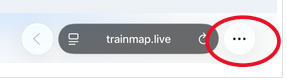
Step 1
Click the three dots next to the url bar:
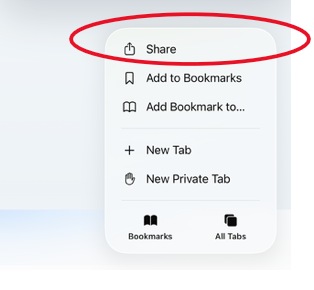
Step 2
Click the share button:
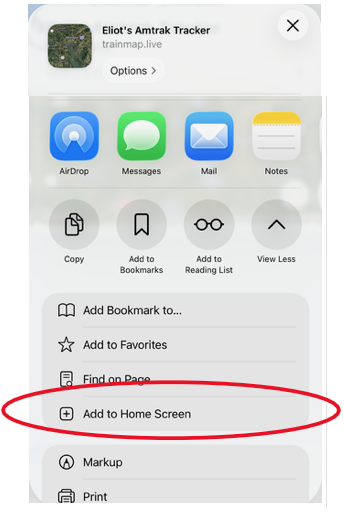
Step 3
Click "Add to Home Sreen"